Connect the accounts you actually use.
Keep Google Drive and Dropbox accounts in separate profiles. Browse shared folders and add client links using an authorized connected account.
 FDMFAST DOWNLOAD MANAGERDownload FDM ↓
THE FILES BETWEEN THE SHOOT AND THE EDIT.
FREE DESKTOP SOFTWAREShared footage belongs on your drive.
Bring Google Drive and Dropbox assets into one focused desktop workspace.
Google Drive + Dropbox → Your disk
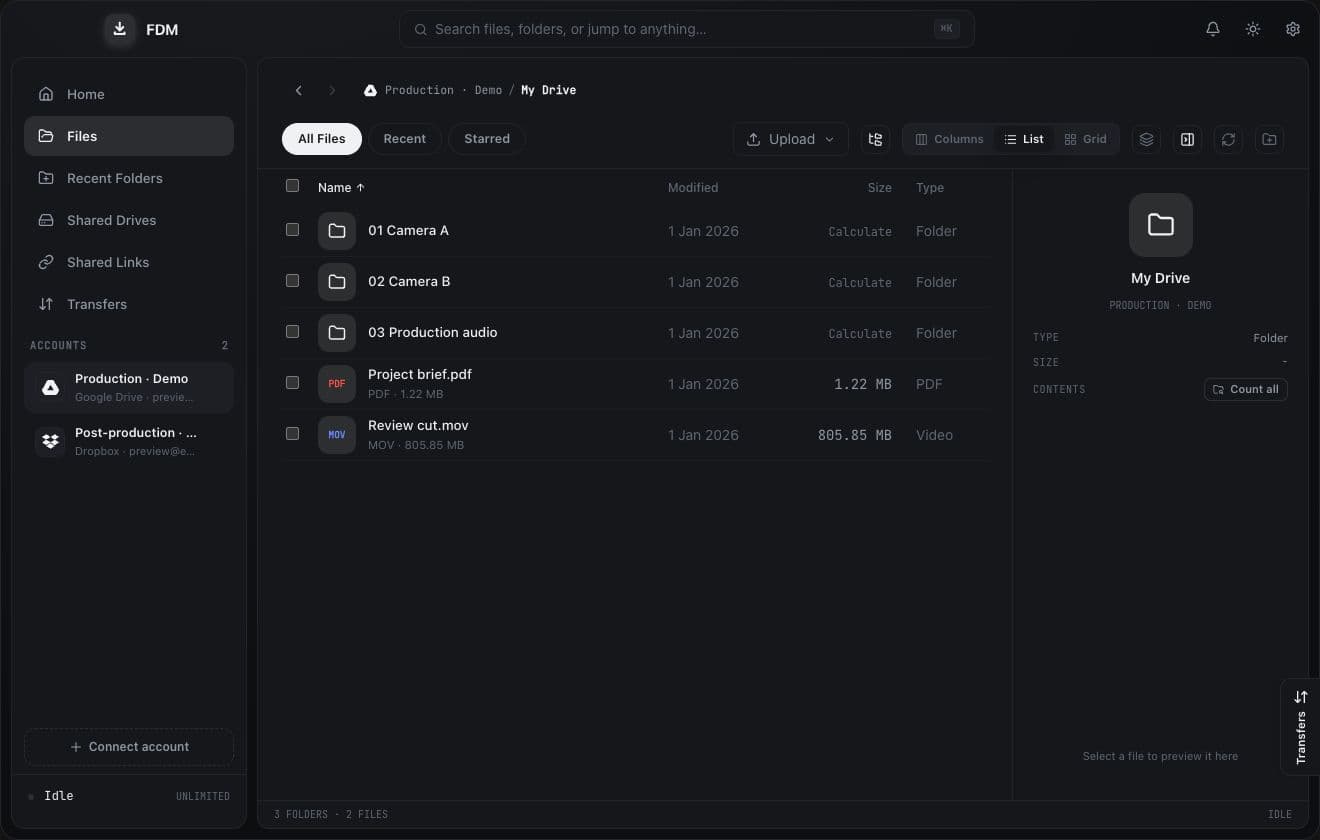
Accounts, shared links, transfers and review—without losing the thread of the project.
Keep Google Drive and Dropbox accounts in separate profiles. Browse shared folders and add client links using an authorized connected account.
Choose a local or external drive. Control simultaneous downloads, connections per file and bandwidth from Settings.
The native engine tracks downloaded blocks so interrupted transfers can resume. Follow your queue across account profiles.
Stream supported video, leave timestamped notes and export feedback with frames to PDF. Codec support depends on the operating system.
A STRAIGHTFORWARD DOWNLOAD.
Free to download. No invitation or FDM activation.
Current public release: v2.10.1
FIRST THINGS FIRST
Provider setup happens in FDM and in the provider’s own console. This website never asks for your cloud credentials.
01 / INSTALL
Windows: run the EXE setup or MSI installer. macOS Apple Silicon: open the DMG and move FDM to Applications. Review any operating-system security warning before allowing the app to run.
02 / CONNECT
Follow the provider guides below, save credentials in FDM Settings, then add an account. The browser opens for provider sign-in and consent.
03 / DESTINATION
Choose a default download folder in Settings. Make sure your external drive is mounted, writable and has enough free space. Select files or a shared folder, then start the download.
https://www.googleapis.com/auth/drive) for file-management features, including deletion. Connect only accounts you intend to authorize.account_info.read, files.metadata.read, files.content.read and sharing.read for browsing and downloading. File-management actions may additionally require files.content.write.http://localhost:53682/ in your Dropbox app settings.A FEW GOOD QUESTIONS
Yes. Public FDM downloads require no invitation or FDM activation. Your cloud provider’s storage, quota and account rules still apply.
The shared-link workflow streams files to your disk instead of copying them into your cloud storage. A connected account with permission to access the source is still required.
The current native engine tracks blocks to resume interrupted downloads and checks exact byte counts. It does not perform a full post-transfer hash verification. Keep source backups for critical media.
The preview player uses the system webview. Codec support varies by OS. Pro/RAW media may need downloading and opening in your NLE. Timestamped notes can be exported to PDF.
OAuth app credentials are stored through the OS keychain; account tokens are kept in rclone’s configuration in the desktop app’s data directory. This landing page never collects them.
Your network, provider limits and destination drive all matter. Tune concurrency and bandwidth in Settings. No fixed speed is promised.
TOOLS BY MUSTAFA KURD
Built by developers who care about the creative workflow.

Developer

Developer